
Lobby tab
Everyone in your current match, and the players you have met before.
The tab has two sections, Match and Saved Players.
Match
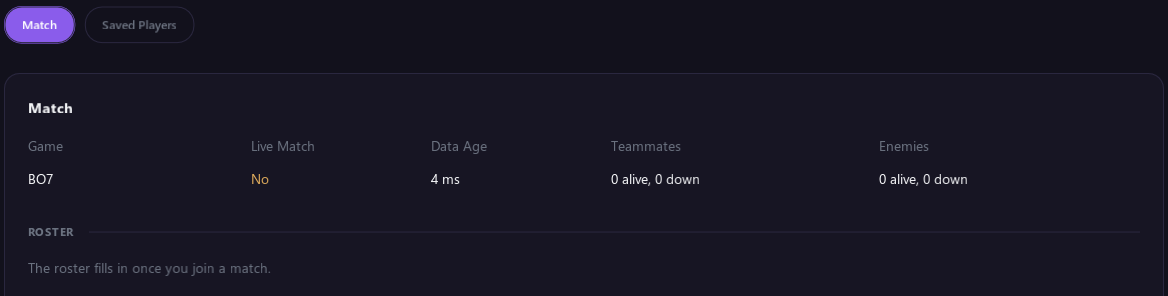
The top of the Match section shows:
- Game: the game the tool found.
- Live Match: Yes while you are in a match.
- Data Age: how fresh the player information is, in milliseconds. Low numbers are good.
- Teammates and Enemies: how many are alive and how many are down.
Below that, the Roster lists everyone in the match. It fills in once you join a match.
- Use Show Teammates, Show Enemies and Hide Dead to choose who is listed.
- Click a column heading to sort by it.
- Right click a name to copy that player's Activision ID, Steam ID or Steam profile link.
| Column | What it shows |
|---|---|
| Mark | Your mark for the player. See Marking players. |
| Team | The player's team number. |
| Name | The player's name. |
| Distance | How far away they are. |
| Health | Their health. |
| Status | Alive, Knocked or Dead. |
| Stance | Stand, Crouch, Prone or Down. |
| Platform | What they play on. |
| Visible | Whether you can see them right now. |
| Seen | How many times you have come across this player. |
| K/D | Their kills and deaths. |
| Assists, Damage, Score, Level | Their stats for this match, and their level or prestige. |
| Party | Solo, Duo, Trio or Quad. Hover over it to see who they are partied with. |
| Top 250 | Their leaderboard rank and SR, if they are in the Top 250. |
| Steam ID | Their Steam ID, if they play on Steam. |
Some columns only appear when the game gives that information.
Marking players
Use the Mark drop-down next to any player, in the roster or in Saved Players.
| Mark | What it does |
|---|---|
| Target | The aimbot picks this player first. Their ESP uses the Target colors and a * in front of their name. |
| Cheater | The aimbot picks this player first. Their ESP turns magenta with a ! in front of their name. |
| Friend | The aimbot and triggerbot never pick this player, even with Ignore Team off. Their ESP turns green with [F] in front of their name. |
| - | No mark. |
To keep your marks after you close the tool, turn on Save Lobby Data.
Saved Players
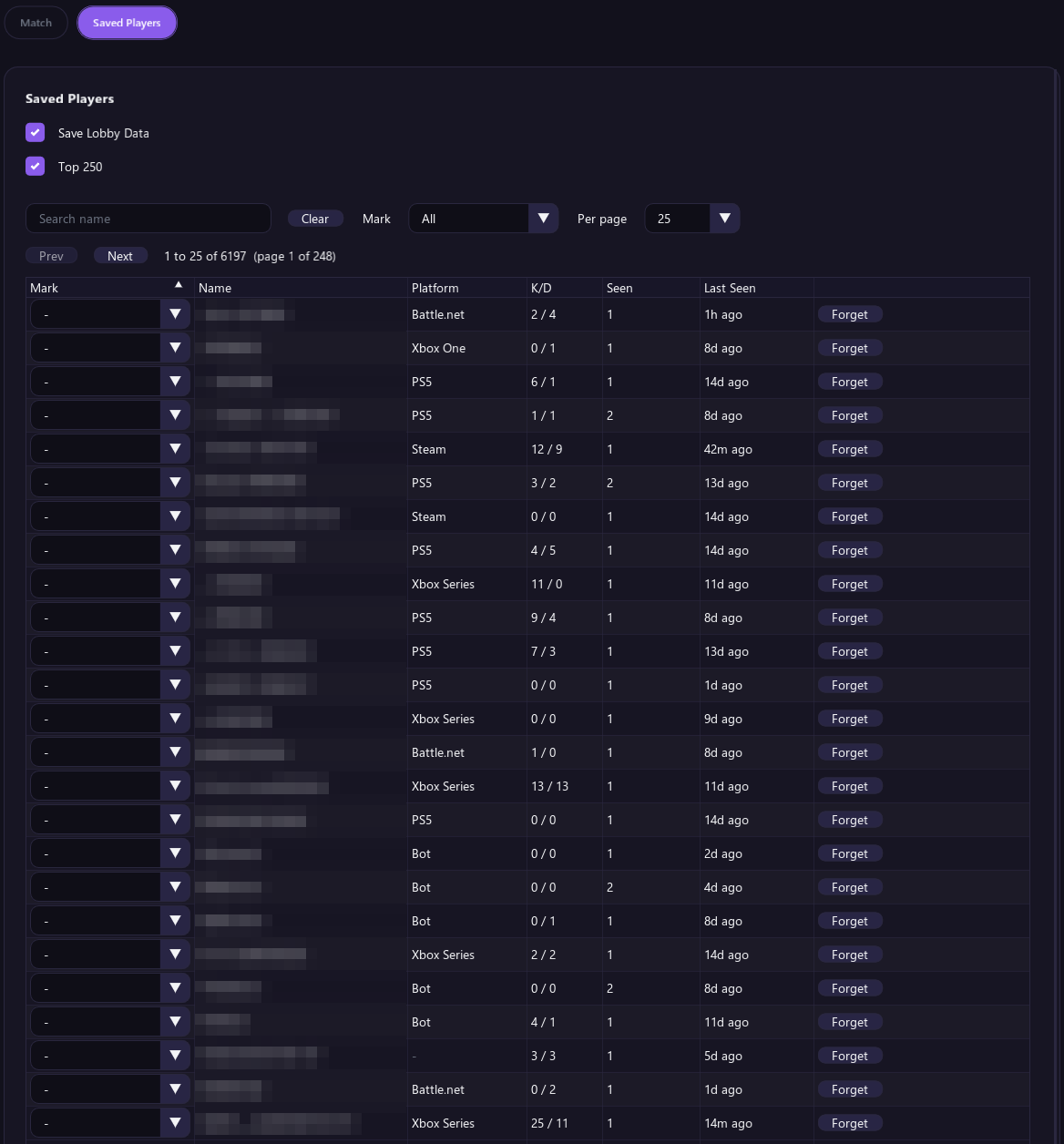
- Save Lobby Data remembers player names, how often you have seen them and your marks between sessions. It is off by default. When it is off, only players seen since the tool started are listed.
- Search by name, filter by mark (All, Target, Friend, Cheater or Unmarked) and choose how many players to show per page.
- The list shows each player's mark, name, platform, K/D, how many times you have seen them and when you last saw them.
- Forget removes a player from the list.
Top 250
Top 250, in the Saved Players section, warns you when a player from a Top 250 leaderboard is in your match. It is on by default and works in Black Ops 7 and Warzone.
- A TOP 250 PLAYER IN THIS MATCH warning shows at the top of your screen for a few seconds.
- Their ESP shows a TOP 250 # tag with their rank.
- The roster and Saved Players show their rank and SR.
The tool picks up the Top 250 lists while you are in the game's menus between matches. Give it a few seconds in the menus before your first match.
Reset
Reset to Defaults at the bottom of Saved Players turns Save Lobby Data and Top 250 back to their defaults. Your marks and saved players stay. Click it twice to confirm.